Import my domain's zone file records
Import DNS zone file records from a file saved locally to apply multiple records to a domain. Importing can be handy if you plan to use the same settings for multiple domains or are moving settings from another DNS provider. We support zone files using the BIND format and RFC 1035, so you may need to edit your file before importing to meet these requirements.
- Sign in to your GoDaddy Domain Portfolio. (Need help logging in? Find your username or password.)
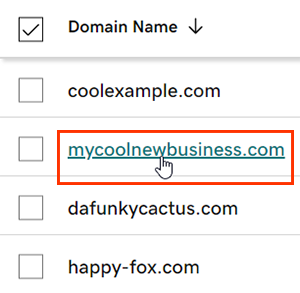
- Select an individual domain to access the Domain Settings page.
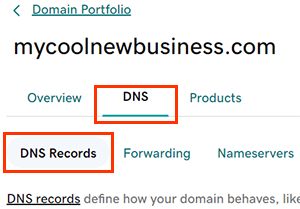
- Select DNS to view your DNS records.
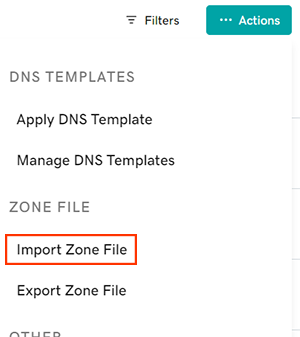
- Select Import Zone File from the Actions menu.
- Choose your file by dropping it directly on the Choose zone file window, or select Browse files to choose the file from your device.
- Select Apply Zone File to complete the import. Records from the import will be added to the existing records. The import will fail if there are any conflicts with existing records.
Most DNS updates take effect within an hour but could take up to 48 hours to update globally.
Related steps
- Export your zone file to add or edit the records locally.
- Create a template to quickly apply DNS records to your domains.
More info
- Turn on auto-renew to continue your domain registration uninterrupted.
- Set up 2-step verification for the best security on your domains and account.

