Renew my expired domains
Quickly identify which domains are expired so you can manually renew them. Some domains may include a redemption fee.
- Sign in to your GoDaddy Domain Portfolio. (Need help logging in? Find your username or password.)
- Select Expiration above your domain list to filter your view.
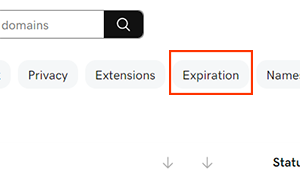
- Choose which filter option you prefer:
- Custom dates: Set a custom date range to view just the domains expiring in that time frame.
- Expires in 30 days: View only domains that will expire in the next 30 days.
- Expired: View all domains that are currently expired.
- Expired 18 days ago: View all domains that expired in the last 18 days. These domains may include a redemption fee when renewing.
- Select Apply to filter your domain list.
- Select the checkboxes next to the domains you'll be updating. Or, select the checkbox next to Domain Name and then choose Select All.
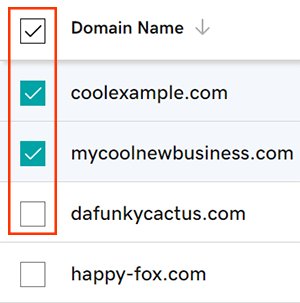
- Select Renew Now from the action menu.
- Depending on your screen size, you may need to select the More menu to see Renew Now.
- Choose your renewal settings, then select Continue.
- Select the checkbox next to Turn on Auto-renew to make sure your domain registration continues uninterrupted.
- Finish renewing your domains during checkout in the cart.
Related steps
- Sync your domain renewal dates with ConsoliDate.
- Some domains may have special requirements for recovering after expiration.
More info
- Set up 2-step verification for the best security on your domains and account.
- Protect your domain from accidental expiration and unauthorized actions by adding or upgrading Domain Protection.
- Search for a new domain name.

